
Most PrestaShop merchants track what customers buy. Far fewer track why customers leave, or what they thought after a purchase arrived. That gap is where useful data dies. Running a post-purchase survey is one of the most direct ways to collect data straight from your buyers, without relying on ad platform attribution or third-party analytics. If you have been looking for a practical PrestaShop survey builder for your store, this guide covers how to set one up properly and what to actually do with the responses using the PrestaShop Form Studio by Knowband.
Why Post-Purchase Surveys Outperform Product Reviews for Store Decisions
Public product reviews are useful for social proof. They are not reliable for internal decisions.
Reviews tend to surface at the emotional extremes, very happy or very unhappy customers. The middle 70% of buyers, the ones whose experience shapes repeat purchase rates, rarely leave one. A post-purchase survey reaches that silent majority while the checkout experience is still fresh.
Research from Gartner, cited by industry sources, shows that feedback collected at the point of experience is 40% more accurate than feedback gathered even a day later. That is why timing and placement matter as much as the questions you ask.
What to Ask: Survey Questions That Generate Usable Data
Shorter surveys consistently outperform longer ones. Surveys with one to three questions achieve an 83% completion rate. Add a fourth question, and completion drops to 65%.
Three questions cover the core of what most stores need to know:
1. How did you hear about us?
This single question gives you real marketing attribution data that ad platforms cannot. Every channel claims credit for the same sale. Your customers tell you who actually sent them.
2. How would you rate your checkout experience on a scale of 1 to 5?
A customer satisfaction score tracked monthly catches dips that your analytics dashboard does not explain. When both the score and conversions drop together, a recent change did damage.
3. What nearly stopped you from completing your purchase?
Group responses by theme: shipping cost, return policy uncertainty, product detail gaps. Rank by frequency. The most common barrier is your next optimisation target.
Where to Place a PrestaShop Survey Builder Form for Maximum Response
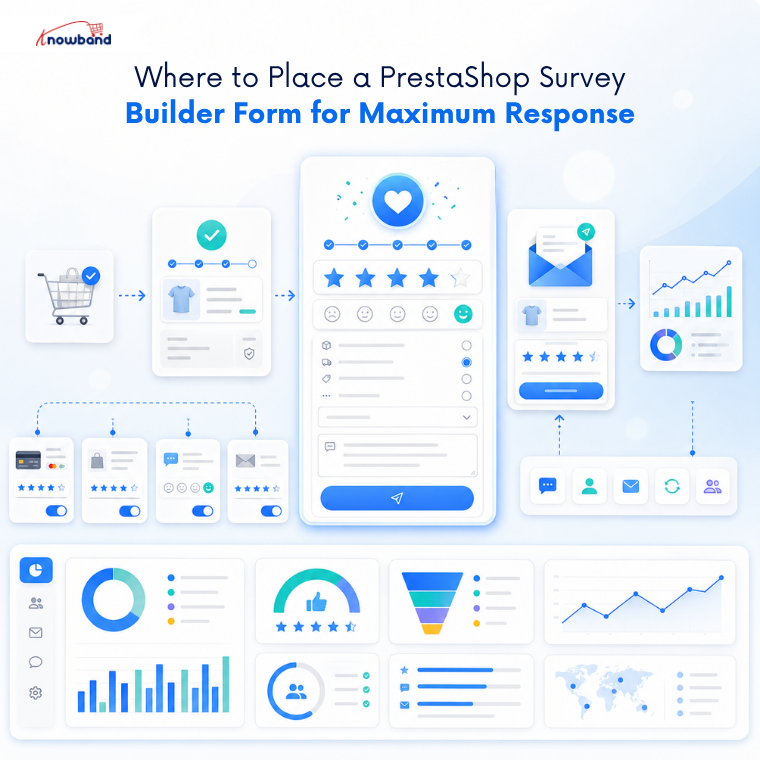
Placement determines whether customers see the survey at all.
The order confirmation page and the thank-you page are the highest-performing locations for post-purchase surveys. The customer has just converted, attention is close, and there is no competing action to take. Thank-you page surveys achieve response rates above 50% across ecommerce brands, compared to roughly 3% for follow-up email surveys.
Inside the PrestaShop Form Builder Module, the display position is set per form. You can place a form on the checkout page for in-purchase notes, or restrict visibility to logged-in customers only for post-purchase flows, leaving it invisible to first-time visitors still browsing.
For stores that want to survey after delivery rather than immediately at checkout, email notification triggers can be configured per form, with auto-responder emails going to customers on submission. That keeps the feedback loop running without manual follow-up.
How to Build a Post-Purchase Survey in PrestaShop Without Code
The PrestaShop Form Studio module by Knowband handles form creation, submission management, spam protection, and email marketing sync in one place. No separate tools, no developer time.
Here is the setup process for a basic post-purchase survey:
- Install the module and navigate to the Form Studio section in your back office.
- Click Add New Form. Give it a clear internal title like “Post-Purchase Survey, 3Q.”
- Choose your fields. For the three questions above, you need a Dropdown or Radio Button (for attribution), a Radio Button (for the satisfaction score), and a Textarea (for open-ended barriers). Drag them into position.
- Set the display position to Checkout Page or configure a standalone form URL that you link from your order confirmation email.
- Restrict visibility to Customers (logged-in users) to filter out guest browsers who have not purchased.
- Enable the thank-you page redirect with a short confirmation message. Customers who submitted the form should know it landed.
- Connect Mailchimp integration if you want to sync respondents automatically into a post-purchase email sequence.
The PrestaShop customer feedback form configuration is per-form, which means you can run a separate survey on product pages, a different one at login, and a post-purchase survey, all with independent settings and their own submission inboxes.
Acting on Survey Data: What Most Stores Skip
Collecting responses is the easy part. The stores that see actual improvements block time to review data on a fixed schedule, weekly or monthly, depending on order volume.
Group open-text responses by theme. If 40% of “what nearly stopped you” answers mention shipping cost and 5% mention sizing, you work on the shipping objection first. That is where the volume is.
A monthly review of customer satisfaction scores alongside your store’s micro-conversion data tells you whether changes you made helped or hurt. A rising score with flat conversions means the experience improved, but the purchase funnel has a different leak. Both data points are needed.
Form submissions inside the module are logged in the back office with full field data, reply status, and timestamps. Admins can reply to individual submissions directly from the panel, which is useful for open-ended responses that flag a real support issue rather than general feedback.
Every response tied to a customer email address can feed directly into Mailchimp or Brevo through the module’s built-in Mailchimp integration, no export, no manual upload.
Running Surveys That Do Not Irritate Customers
A few practical rules keep survey response rates high and unsubscribes low.
Keep forms mobile-responsive. A significant share of post-purchase emails are opened on mobile. If the form does not render properly on a phone screen, most customers close it.
Do not survey customers repeatedly on the same order. Set visibility rules for logged-in customers so that guest purchasers who registered later do not see an outdated survey on a repeat visit.
Cloudflare Turnstile spam protection is built into the PrestaShop Form Studio, which keeps junk submissions out of your feedback inbox without frustrating real customers with traditional CAPTCHA challenges.
Building a Feedback System That Actually Feeds Decisions
A post-purchase survey with three well-chosen questions, placed on the thank-you page, restricted to purchasing customers, and reviewed monthly, will give most PrestaShop stores more usable data than a year of watching session recordings.
The bottleneck is never the data itself. It is having a system that collects it consistently and makes acting on it a scheduled habit rather than a reactive one.
If your store runs on PrestaShop and you do not have a structured way to collect customer input after orders, PrestaShop Form Studio by Knowband is worth installing this week. Set up your first PrestaShop customer feedback form, start with three questions, and review your first month of responses before adding anything else.
For more such reads, you can visit:


