
Most online retailers recognize that relying on a single traffic source limits growth potential. Google Shopping drives substantial product sales for e-commerce businesses, but OpenCart merchants often skip it because the setup looks complicated. Between configuring API connections, formatting product feeds correctly, and keeping everything synchronized, it’s easy to see why store owners put it off.
Knowband’s OpenCart Google Shopping Integration changes this equation. Instead of wrestling with feed specifications or learning Google’s API requirements, you get an admin panel that sits inside OpenCart and handles the connection work. The module manages feed generation, scheduling, and updates while you focus on running your store.
What Makes This Integration Special
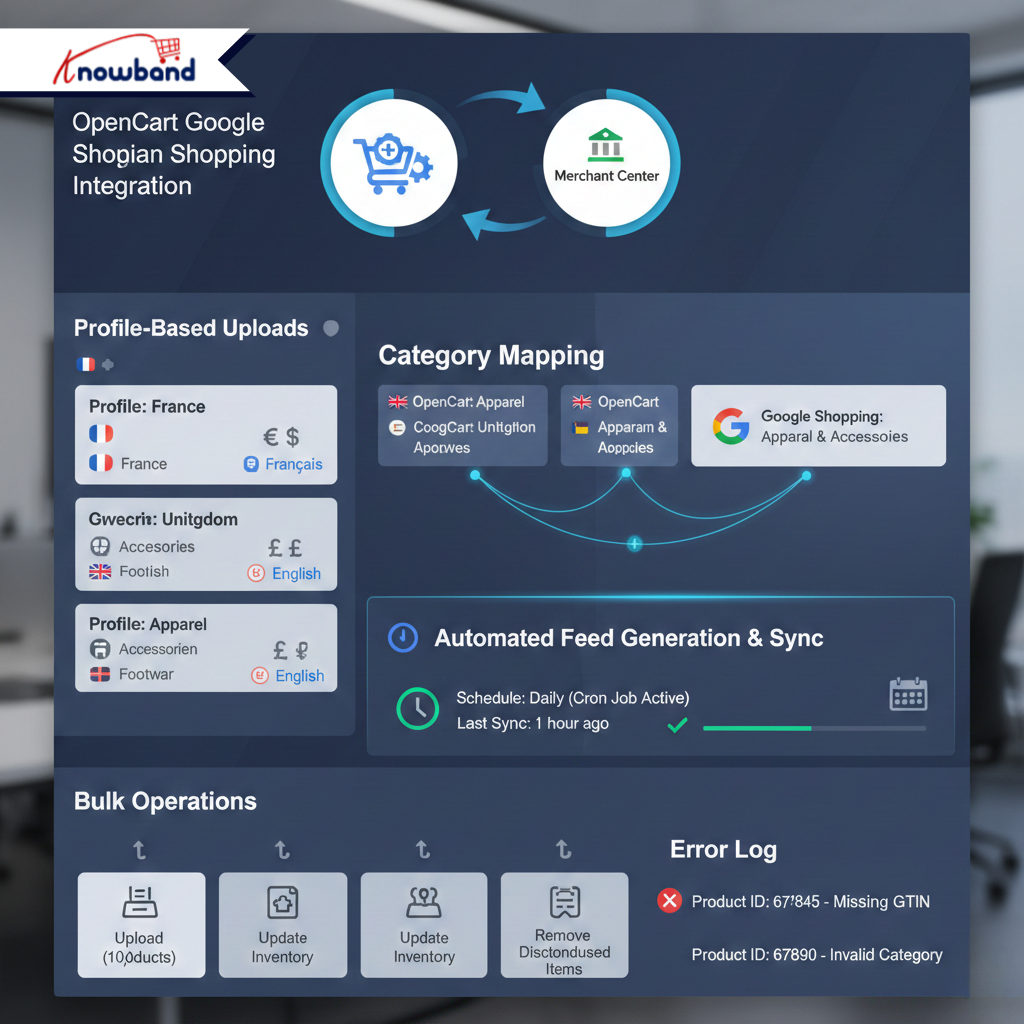
At its core, the Opencart Google Merchant Centre Connector does exactly what its name suggests: it connects your OpenCart store directly to your Google Merchant Center account. But it’s more than just a connector; it’s a management system that gives you control over how your products appear in Google’s sponsored shopping results.
The profile-based upload system lets you create different profiles for different product categories. Each profile specifies the country, language, and currency, plus it maps your OpenCart categories to Google’s standardized structure. Your products get categorized correctly from the start.
Category mapping deserves particular attention because most integrations struggle here. This module supports many-to-one relationships, allowing multiple OpenCart categories to map to a single Google Shopping category. When your internal product organization doesn’t align with Google’s taxonomy, you can create these mappings through a visual interface. Changes can be made without affecting other mappings or requiring complete reconfiguration.
The Google Shopping Feed for OpenCart operates through automated generation tied to your profile configurations. Product information flows from your store into properly formatted XML feeds. When you update prices, adjust inventory, or add new products, those changes propagate to your feed without manual exports.
Bulk operations save hours of work. Upload thousands of products at once. Update inventory across your catalog. Remove discontinued items with a single click. The module handles large product catalogs efficiently.
The feed scheduling feature deserves recognition. Set it once and your feeds sync automatically on whatever schedule works for your business. Daily updates? Weekly? The cron jobs handle it. Manual sync options exist for those who prefer hands-on control.
Error logs show which specific products didn’t pass Google’s validation requirements and explain why each one failed. Missing GTIN numbers? Wrong category? Price formatting issues? You’ll see the exact problem listed for each product that gets rejected, so you can fix it instead of wondering why certain items aren’t showing up in results.
Why This Actually Matters for Your Business
Google Shopping attracts people who’ve already decided to buy something. They know what product they want, they’re comparing prices between stores, and they’re ready to click “add to cart” on whichever listing looks best. That’s different from someone just browsing around or researching options. When your products show up here with accurate info and competitive prices, you’re capturing customers at the exact moment they’re making their purchase decision.
The OpenCart Google Shopping Integration eliminates the technical knowledge barrier that has kept smaller merchants off this platform. Store administrators work through configuration screens that mirror OpenCart’s existing interface without requiring new skills or external documentation.
Think about how much time you currently spend on feed management. Updating product files, checking for errors, making sure prices and inventory match between your store and Google, it adds up to several hours every week. This module automates all of that. Your feeds update on schedule, inventory stays synchronized, and you get those hours back to spend on things that actually help your business grow.
The multi-language and multi-currency features matter if you sell internationally. You can create separate profiles for different countries, each with its own language and currency settings. A UK store selling to France and Germany doesn’t need separate platforms, just set up profiles for each market.
UTM parameters track your Google Shopping performance down to individual products. You’ll know which items bring in revenue, which categories perform well, and where your advertising spend actually pays off. That measurement capability lets you make decisions based on real data instead of guesswork.
The Bottom Line
The Opencart Google Merchant Centre Connector handles a specific job: keeping your products listed on Google Shopping without requiring constant manual work. It works whether you’re managing 100 products or 10,000, and it doesn’t require technical expertise to set up or maintain.
Setting up takes an afternoon, not weeks of development work. The interface makes sense. The automation works reliably. And most importantly, it gets your products in front of shoppers who are actively looking for what you sell.
For merchants looking to expand beyond their current traffic sources, Google Shopping consistently delivers results when done correctly. This module removes the main barrier, the technical complexity, that has kept many smaller OpenCart stores from using it effectively.


